

After some months since the last release, a new version of Linux Mint has been released. Even though I moved my laptop to Fedora (for now), I keep Linux Mint on my desktop computer, so it is interesting to see what’s new and the reasons to be excited about it. Let’s go.
Redesigned menu
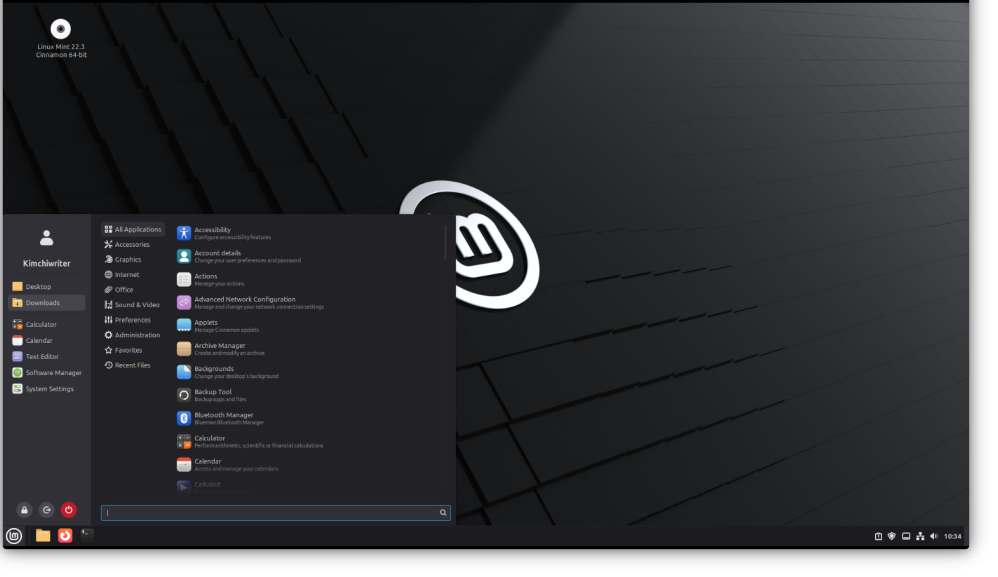
The first thing you will notice is the Linux Mint menu redesign. Now it shows the profile image and the bookmarked folders. Also, it shows the buttons for turning off and restarting the computer. For now is more cleaner and now is more clear and easy to use because all elements have a text to reflect what it is for. Before, there were some small icons on the left that at first didn’t show what they were for.
As usual, it is possible to change and customise the layout of the menu. However, I already like the defaults.
New System Information Tool
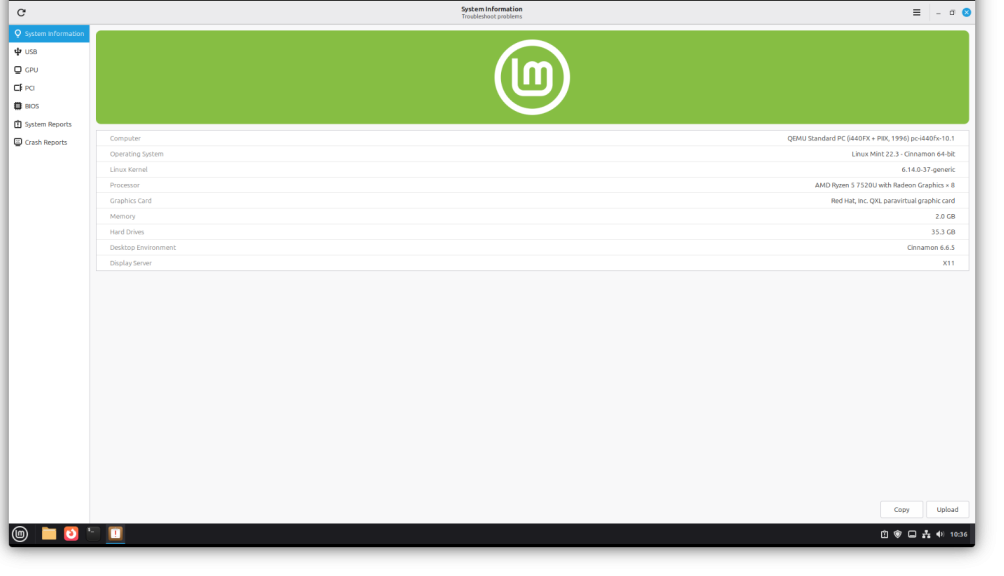
Another upgrade of this new version is the new information tool. This is something that you are not going to use a lot, but will be highly appreciated if you have a hardware problem or if it is not detected properly. Really like it and it is a nice to have feature.
And that are the main changes, aside of that there are a lot of small changes, than can improve the usage of Linux. Sometimes less is better and the most important thing for many people is that things just work. Linux Mint is great for that.
More information and download. Linux Mint
Discover more from Kimchi diary
Subscribe to get the latest posts sent to your email.
